
It started with an email I almost ignored
At 1:41 on a Monday morning 21/9/2026, Google sent me an email. The subject line was dull: “New owner” for one of my websites. It said a Gmail address I had never seen had been added as an owner of my site in Google Search Console.
I build and rank websites for a living. I have done SEO for more than six years, and I know what a Search Console notice looks like. My first thought was phishing. My second thought was worse: what if it is real?
It was real. Someone with a random string for an email address now had owner rights over how Google sees my site. An owner can submit sitemaps, remove pages from search, and change settings that take months to undo.
I opened an AI assistant, pasted the email in, and asked a simple question: what do I do? That was the start of a night that ran until sunrise. By the end of it I had found 19 infected websites, around 400,000 spam pages, and an attacker who had been inside my hosting account since June.
This is the whole story. I am telling it because almost everything that went wrong is common, quiet, and fixable. If you run even one WordPress site, some of this applies to you.
Twenty thousand pages I never wrote
The site in question is tiny. It is one landing page for a local service business which I own. When we { We refers my AI assistant ] checked its sitemap from the outside, it listed 101 sitemap files with about 200 URLs each.
That is roughly 20,000 pages on a one-page website. We opened the first file. Every URL was casino spam, in English and Spanish, all neatly published under my domain.
Then we looked at the robots.txt file, the small text file that tells search engines where to go. It had been rewritten. It now pointed Google at two extra sitemaps I had never created, and it blocked seven specific crawlers, including Ahrefs and Semrush.
It was as if someone poured cold water on me. Those are the tools SEO people use to audit their own sites. The attacker had blinded the exact instruments I would reach for. Google could see the spam, but my tools could not.
The most difficult part came next. My homepage looked normal, nothing out of the ordinary. My WordPress dashboard looked normal. The post count was right. There’s no have found the spam by looking at my own site dashboard although warnings would have popped up by then the posts would already have been indexed.
We later read the malicious code and understood why that was the case. It filtered the spam out of the admin screens and rewrote the post counters so the totals looked untouched. It showed casino articles to Googlebot and, for human visitors, swapped the page for a full-screen gambling site. If you were logged in as the owner, it did nothing at all.
The new Search Console owner finally made sense. The attackers verified themselves so they could hand Google those sitemaps and get 20,000 spam pages per site indexed on a trusted domain, fast.
It was never one site
My first reaction was to fix the site from the email. I found the attacker’s Google verification file in the site folder and deleted it. I found a strange administrator account in WordPress and deleted that too. For a few minutes I felt in control.
Then I mentioned, almost in passing, that three of my other sites had sent the same email. The tone of the night changed.
We checked my most important site, a public information guide I have spent months building. Same rewritten robots.txt. Same rogue sitemaps. A German-language casino article was live on a site that has nothing to do with gambling.
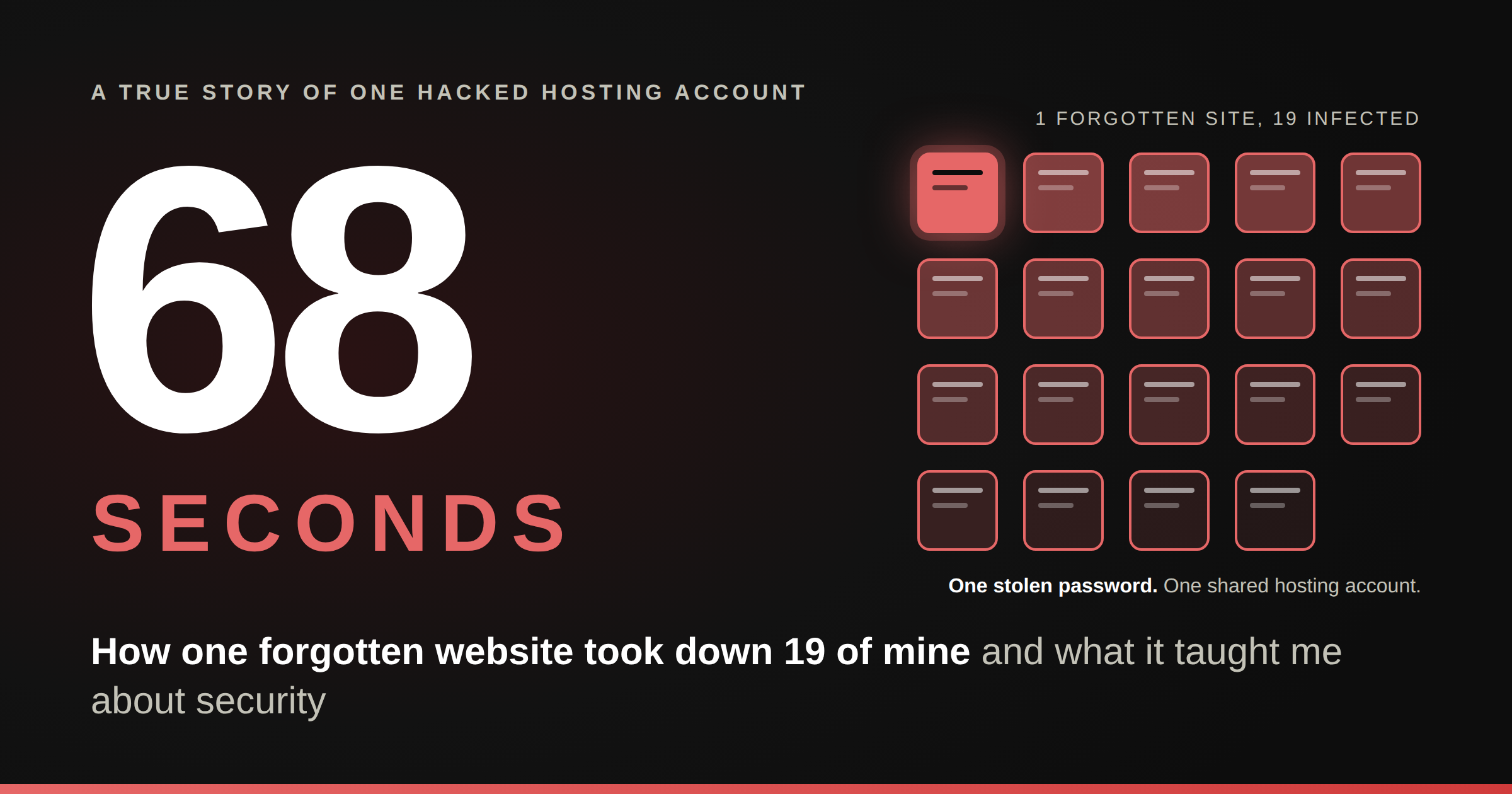
A search across my hosting account told the full story. Nineteen websites carried the same fingerprints. My own projects and sites I host as a favour were all infected.
Here is the plain-English reason. All of those sites lived under one hosting account, like rooms in one house. Shared hosting treats them as one user. Malware that gets into one room can walk into every other room, because nothing inside the house is locked.
I asked my hosting provider to separate the sites. They said it was not possible on my plan. They reset a few things, sent me links to help articles, and explained that they do not touch customer files. The cleanup was mine to do and basically, you are on your own.
The files that kept coming back
This is the part of the story I find hardest to tell, because it is where we kept getting it wrong.
Wrong turn one: trusting the dates. The backdoor files carried dates from January, March and May. We built a whole theory on those dates. Later, files we had deleted came back within minutes, wearing the same old dates. The malware was forging its timestamps. Nothing on an infected server can be trusted, not even the calendar.
Wrong turn two: unlocking the wrong door. One folder had odd permissions and could not be opened. The assistant told me to fix the permissions so we could look inside. What we did not know was that the lock had been stopping WordPress from loading the files in there. One of them was a two-megabyte dropper, a program whose only job is to reinstall everything else. The moment we unlocked the folder, it woke up and rebuilt the infection. The assistant owned that mistake straight away, which I respected. We had still lost ground.
Wrong turn three: deleting one file at a time. I deleted nine malicious files in one go. I opened my site in a private window to test it. All nine were back. Every piece of the malware could rebuild every other piece, and any page view by any visitor or bot was enough to trigger it.
So we blocked the site from the web entirely. No visitors, no page loads, no regeneration. I deleted the dropper and waited three minutes. It came back anyway.
The site was offline, there were no scheduled tasks, and the file still reappeared. The only explanation left was a program already running in the server’s memory, rewriting the file every time I removed it. You cannot delete something like that. You have to kill it.
Getting Control
The fix came in three moves, and the order made the difference.
First, lock everything. We placed a single deny rule at the top of the hosting account. Every site I owned went dark with a “403 Forbidden” page. It felt drastic at 5 am in the morning. It was the best decision of the night, because malware that cannot receive a web request cannot wake up.
Second, kill what was running. My hosting provider restarted PHP for my account. Their reply also revealed something useful: my plan included a command-line Terminal, hidden until I switched on SSH access. I ran one command to list every running process. The list was clean. I deleted the dropper one more time and waited three minutes. The folder stayed empty. I have rarely been so happy to see nothing.
Third, clean at scale. Hunting through folders by hand was never going to work across 19 sites. With Terminal, the assistant wrote small scripts. The first only looked, and listed every file matching the malware’s patterns. I reviewed the list. The second deleted exactly those items and logged each one: droppers, fake plugins with random suffixes, cloned theme folders, hidden directories, and PHP files sitting in image folders where no code should ever live.
The databases were next. The spam belonged to author IDs that did not exist as real users, so one careful query could separate 42,000 casino posts from 131 real articles on my main site. Across all sites, around 400,000 spam posts went. So did every fake administrator account. One script was killed by the host’s resource limits halfway through, so we rewrote it to work in smaller bites, one site at a time.
Then every site got a fresh copy of WordPress, a fresh theme, new secret keys, and a forced password reset for every user. Only after all of that did we unlock the sites, one check at a time. My main site came back first. From the outside, the spam URLs returned “404 Not Found.” I will admit I checked several times.
Sixty-eight seconds
I slept for a few hours. When I woke up, one question would not leave me alone: how did they get in? Cleaning a house is pointless if the window is still open.
At first we blamed my main site. The logs showed the attack starting there, with commands fired at a backdoor file at 6:14 PM. It seemed obvious. It was wrong.
The server keeps access logs, a record of every request made to every site. We searched them for one specific action: an administrator uploading a plugin. One site lit up, and it was not mine. It was a small site I had set up as a favour for a family friend, who had passed a login to their own developer.
The pattern in that log was chilling. From early September, strangers from different countries had opened that site’s login page, typed a username and password, and got in on the first try. There was no guessing and no brute force. Each of them tried to upload a plugin, and each time the server firewall blocked the upload.
They kept trying for two weeks. Nine blocked attempts. Then, on the day of the attack, a new visitor logged in and did something different. The site had a file manager plugin installed, the kind that lets an admin browse server files from inside WordPress. They opened it, switched off the caching plugin, and tried the upload again. This time it went through at 6:13:06 PM.
The attack on my main site began at 6:14:14 PM. Sixty-eight seconds. That is how long it took for one malicious plugin, on one forgotten site, to write backdoors into all 19.
The database told the rest. That small site had fake administrator accounts dating back to June. The password had not been cracked that week. It had been stolen months earlier, most likely from a computer infected with password-stealing malware, and then shared or sold. Ten different attackers, the nine who failed and the one who found a way through, held a working key to a door I had forgotten existed.
The whole attack on one timeline
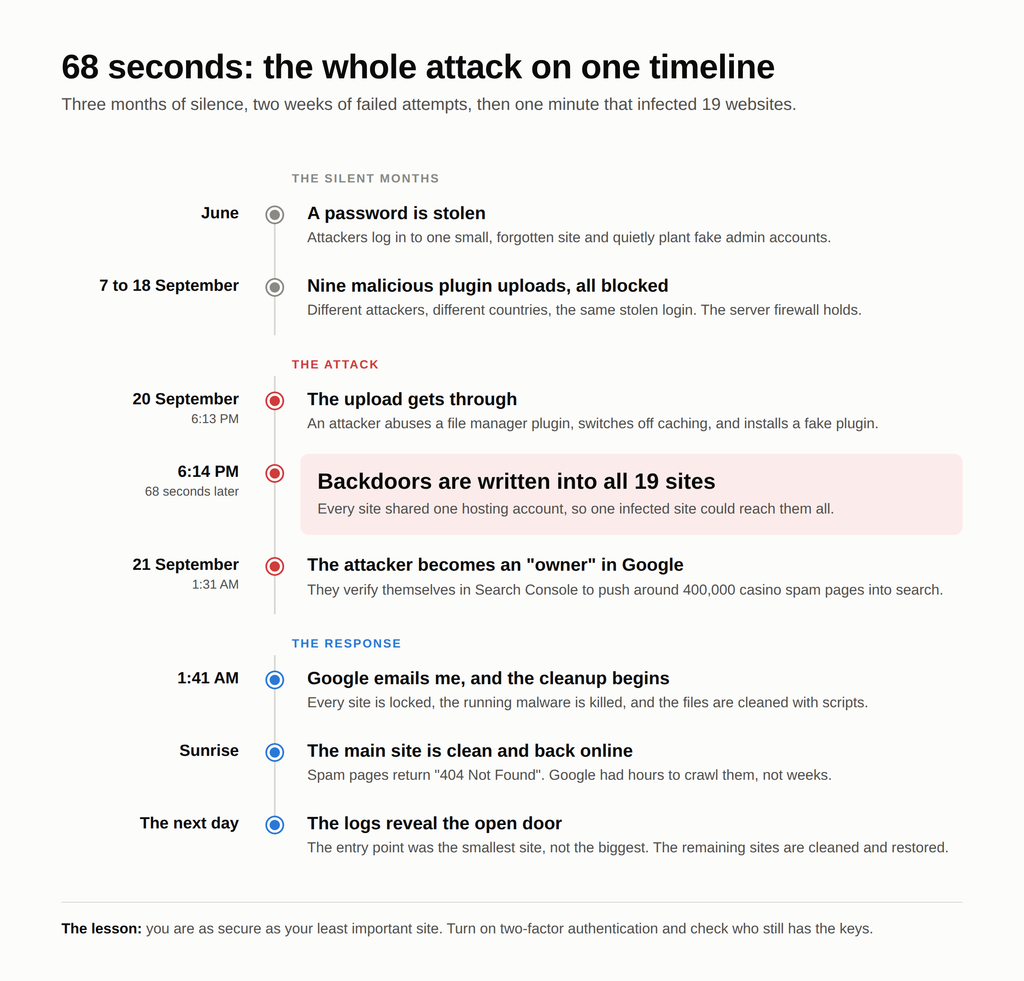
Three months of silence, two weeks of failed attempts, and then 68 seconds. Everything after 1:41 AM was my response.
The things that are easy to miss
If you ever face this, these are the traps we nearly fell into, or did.
- Your own dashboard can lie to you. The malware hid its posts from the admin screens and corrected the counters. Check your site from the outside, and look at your sitemap and robots.txt directly.
- Deleting the intruder’s account is not a fix. A backdoor file on the server does not need a login. Our fake admin came straight back.
- Deleting the attacker’s Google file is not enough either. Remove the verification file, then check Search Console for leftover owners, tokens and sitemaps.
- File dates are forgeable. Do not build your timeline on them. Build it on logs.
- Malware hides where code does not belong. We found PHP files in image upload folders, in hidden folders starting with a dot, and in WordPress’s special “must-use plugins” folder, which never appears on the normal Plugins screen.
- It impersonates trusted files. Fake database and cache files sat in the exact places WordPress loads automatically. Fake plugins and cloned themes had believable names with random endings.
- The scanner was warning me for a month. My host’s malware scanner had flagged 4, then 10, then 27, then 28 threats in its weekly scans. It quietly cleaned what it recognised. The malware came back anyway, and I never saw a single alert.
- Locking sites also locks the innocent ones. Our account-wide block took my clean business sites offline too. Know what you are switching off.
- Your backup may be infected. If the intruder arrived in June, a backup from August restores the intruder.
- Be careful what you paste into a chat. In the rush I shared a full configuration file, database password included. It meant one more password to change.
- The entry point is rarely the site that screams. The loudest victim was my biggest site. The open door was the smallest one.
How to stop this happening to you
None of this needs a security team. Most of it is an afternoon of work.
- Turn on two-factor authentication for every admin login. This one step would have stopped my entire incident. A stolen password is useless without the second code. Free security plugins include it.
- Use a unique password for every site, and a password manager to hold them. Reused and shared passwords are how one leak becomes nineteen.
- Be strict about who gets admin access. Give collaborators the lowest role that lets them do their job. Remove accounts when the work ends. Review your user lists every few months.
- Do not keep file manager plugins installed. They turn a stolen login into full control of your server. Your hosting panel already has a file manager.
- Switch off the built-in code editor. One line in the WordPress configuration file, DISALLOW_FILE_EDIT, removes the theme and plugin editors that attackers love.
- Separate what matters. Do not host your most valuable site beside experiments, old projects and favours. If they share one hosting user, they share one fate.
- Only install plugins and themes from official sources, and delete what you do not use. “Free” copies of premium plugins are a classic delivery route for backdoors. Unused plugins are unlocked windows.
- Keep everything updated, including the sites you have forgotten about. Especially those.
- Read your security scanner’s reports. If your host runs a malware scanner, find where its results live and check them. Set up email alerts if you can.
- Verify Search Console through DNS, not an uploaded file. Someone who breaks into your website files cannot touch your DNS records.
- Keep backups that go back months, stored away from the server. And know how to restore one before you need to.
- Protect the computers that log in. Password-stealing malware on a laptop undoes every server-side precaution. Anyone with admin access to your sites should run reputable antivirus software.
What I learnt
You are as secure as your least important site. I guard my main site carefully. A small site I set up as a favour, and rarely thought about, took it down. Attackers do not knock on your front door. They look for the side gate you forgot you had.
Breaches are slow, then sudden. Access sat quietly for three months before one successful upload triggered everything. The silence was the real attack. The noisy night was only the harvest.
Contain first, clean second, investigate third. Cleaning before containing let the malware win every time. Once every site was locked and the process was dead, deletions stuck.
Evidence beats assumption. We were wrong about the dates, the entry point, and what was safe to unlock. The access logs were never wrong.
An AI assistant is a force multiplier, not an oracle. It read malicious code in seconds, wrote the cleanup scripts, and drafted my messages to the host, making mistakes along the way and correcting course when I caught them. I would not have wanted to do that night alone, and I would not have wanted to hand it over blindly either.
Hosting support restarts services. It does not clean files. Mine was polite, quick, and clear that this wasn’t their job. Know that before you need them.
Speed mattered. I opened the email within the hour, so Google only had hours to crawl the spam, not weeks. My main site was clean and live before most people finished breakfast.
One site stays locked for good. The rest are live, cleaner and better protected than they have ever been. Two-factor authentication is going onto every login. The favours are moving to their own hosting.
If you take one thing from this story, do it today: open your oldest, smallest, most forgotten website, and check who still has the keys.