
Your business can now have its own profile inside ChatGPT. When someone asks ChatGPT for a caterer in Randburg or a plumber in Centurion, that profile is what they click through to. OpenAI switched this on in November 2026, and I’ve been through the setup myself for South African businesses. This guide walks you through it in plain English, including the parts that don’t work yet.
The short version: search for your business in ChatGPT’s Business Hub. If it’s there, claim it this week and verify it through your website, because the phone option isn’t working at the time of writing. If it isn’t there, join the waiting list and put your effort into your Google and Bing listings, which is most likely where ChatGPT gets its information from.
What this is, in plain terms
Think of it as ChatGPT’s version of your Google Business Profile. Once you claim your profile, you can correct your business name, description, phone number and website, and see roughly how often ChatGPT mentions you. OpenAI says 1.2 billion people use ChatGPT every week, so it’s worth making sure the details they see are yours.
Claiming is free. OpenAI is also clear that claiming doesn’t guarantee ChatGPT will recommend you more often. It gives you control over your details. Getting recommended is a separate job, and I cover it further down.
Before you start
You will need:
- The ChatGPT account you want to run the profile. Use one the business will keep, so not a staff member’s personal account.
- Access to your website’s domain settings, or the contact details of whoever looks after your website. You’ll see why in Step 3.
- Your South African ID or passport, and your company registration details as they appear with CIPC.
Step 1: search for your business
Sign in to ChatGPT and go to chatgpt.com/business-hub. Click Add, then type your business name the way your customers would search for it.
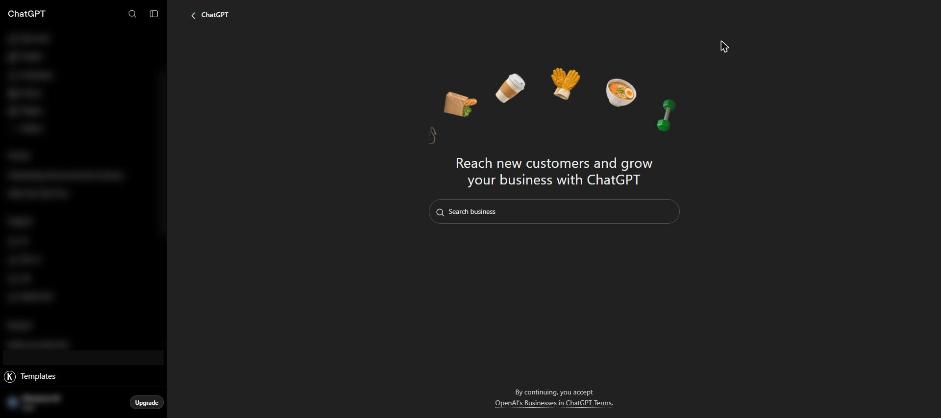
If your business appears, check the address under the name before you choose it, especially if you have more than one branch. If someone else has already claimed it, you can dispute it from the listing.
If your business doesn’t show up
This is where many South African businesses will stop for now. When I searched for one of my own businesses, ChatGPT came back with “No matching business”.
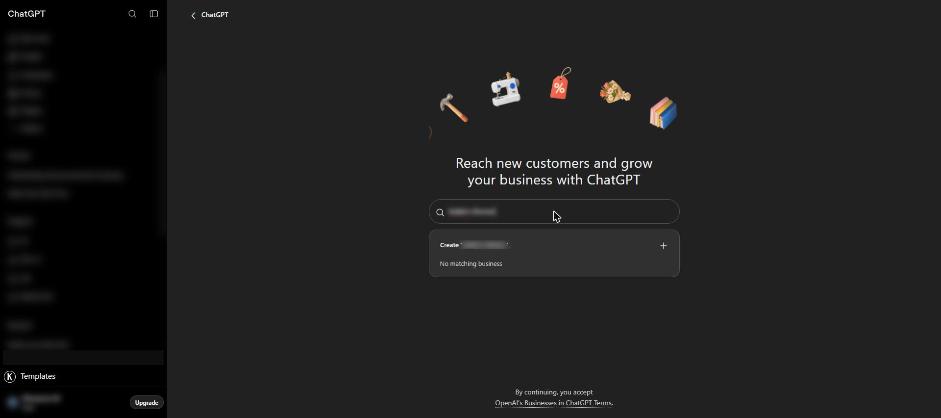
You’ll see an option to create a profile, but at the moment that works for online businesses. If customers come to your premises, you’ll most likely be put on a waiting list, and all you can do is wait for OpenAI’s email.
OpenAI hasn’t said where its business listings come from. From what I’ve seen setting this up, my read is that ChatGPT is most likely pulling them from Google Business Profile and Bing Places. If your business has no presence on either, ChatGPT has very little to find, and that’s the first thing to fix while you wait. I cover how below.
Step 2: claim it and say how customers reach you
Pick your business, confirm the account, and answer one question: do customers reach you at a physical location, an online store or a service? Pick the honest answer. A wrong one won’t get you past the queue, and it can confuse ChatGPT about what you do.
Step 3: prove the business is yours (use the website option)
OpenAI offers a few ways to prove the business is yours, including a code sent to your business phone. At the time of writing, the phone option isn’t working. The method that does work is verifying through your website’s domain.
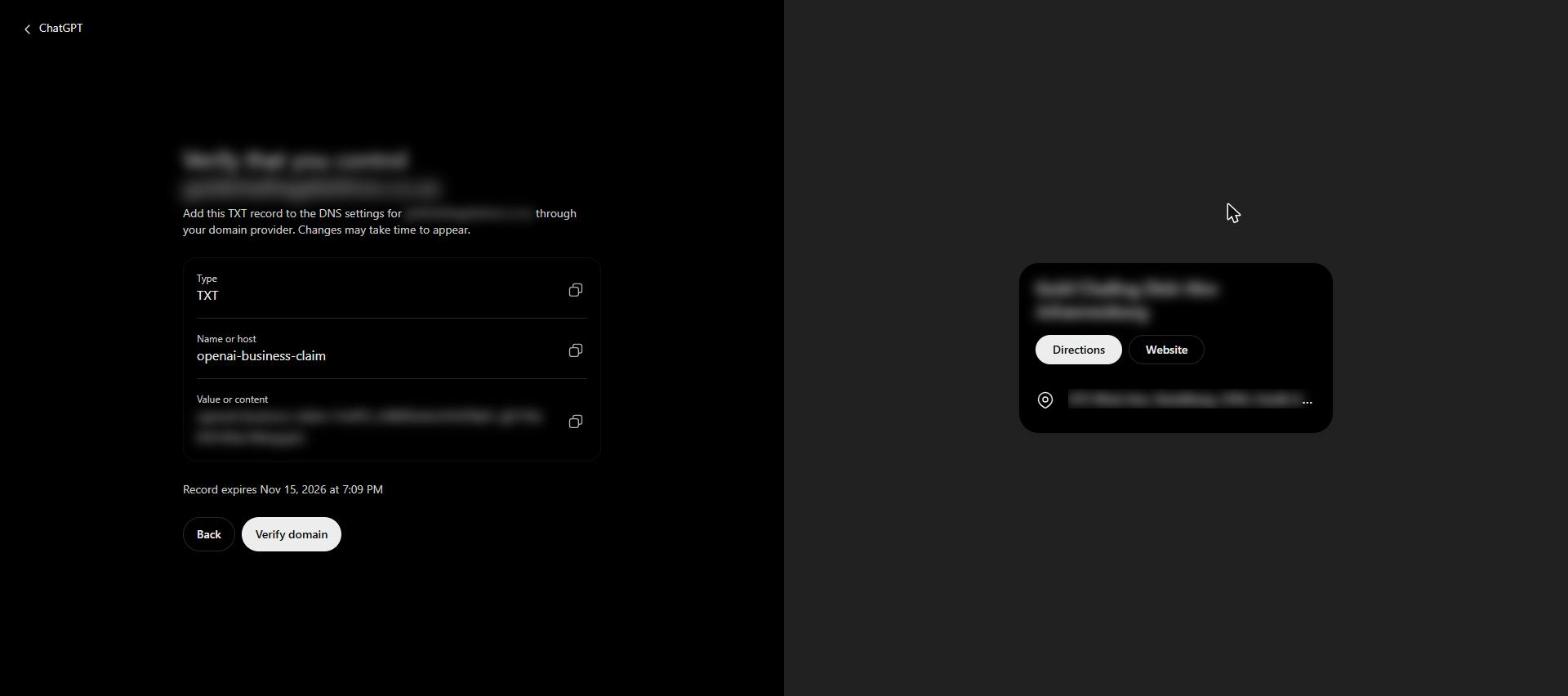
This sounds technical, but it’s a quick job for whoever looks after your website. ChatGPT shows you three things: a Type, a Name or host, and a Value. Copy all three and send them to your web developer or hosting company with this message: “Please add this TXT record to our domain’s DNS settings.” Once they confirm it’s done, go back and click Verify domain. It can take a few hours before ChatGPT sees the change, so don’t worry if it doesn’t work straight away.
The code has an expiry date shown under it, so send it to your web person the same day.
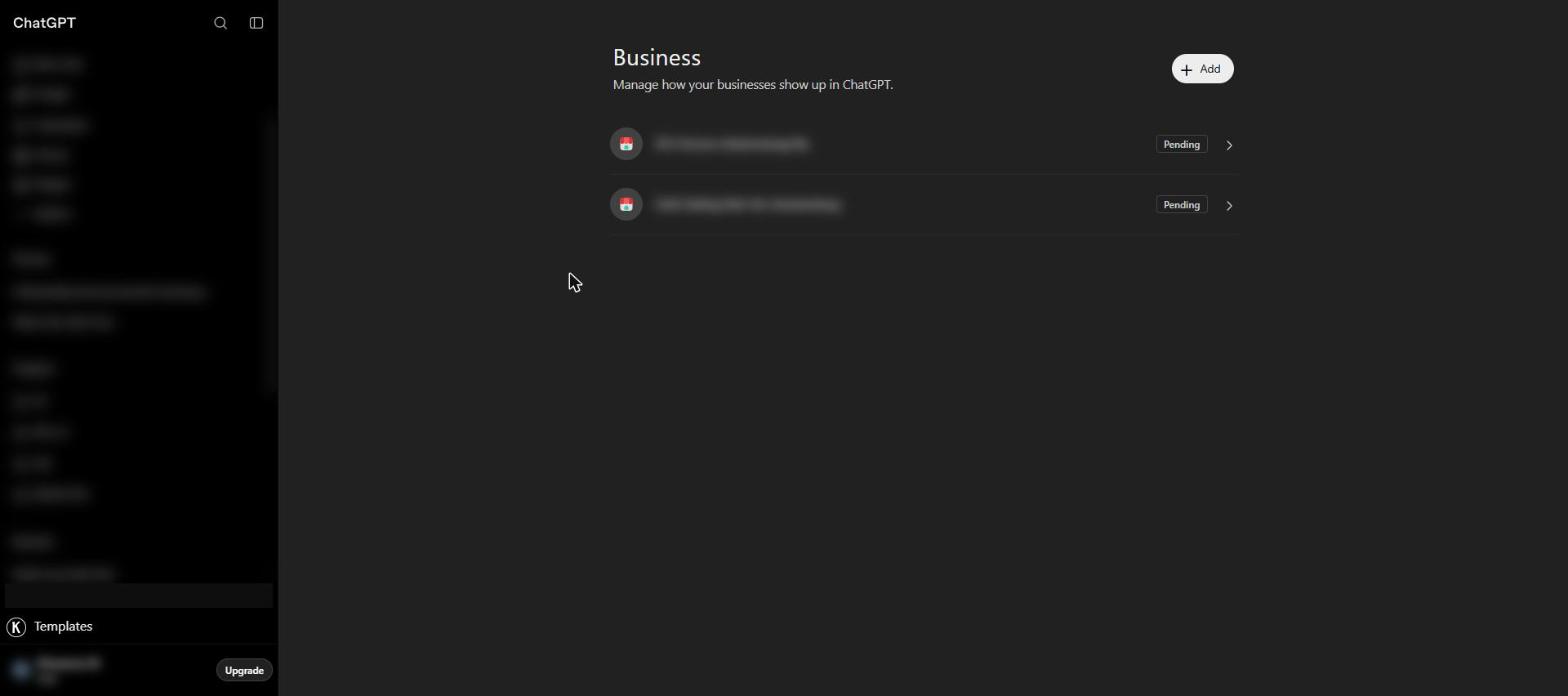
After that, OpenAI reviews your claim and emails you. Until then, your business shows as Pending.
You’ll also see offers for ChatGPT ad credit or a paid upgrade along the way. You don’t need either to claim your business.
Step 4: the ID check
Once OpenAI approves your claim, you complete an ID check through a company called Persona. You’ll upload your ID and enter your company details. Make sure your name and business name match your CIPC records, because a mismatch is the most likely reason to get stuck here. When you pass, your profile gets a blue tick.
Step 5: check your details
Go through every field: business name, a short description of what you do, category, phone number, website and logo. Write the description the way you’d explain your business to a customer on the phone, in a couple of sentences.
Make every detail match your Google listing and your website exactly, down to how you write your address. If ChatGPT finds your address written three different ways, it can look like three different businesses. OpenAI checks changes before they go live, so give them some time to appear.
Step 6: what the numbers will and won’t tell you
Your profile shows how often ChatGPT mentioned you over the last few weeks, and how many people clicked through to your website. A blank number on a new profile just means there isn’t enough data yet.
What you won’t see is what people asked. This month I attended a Google Search event in Cape Town, and I asked the Google team why their own reporting tool doesn’t show the questions people type into Google’s AI answers. The answer was that it’s mostly about privacy. OpenAI has taken the same approach, so neither Google nor ChatGPT will tell you which questions led customers to you.
The simple fix is to check it yourself. Write down 15 to 20 questions your customers would ask, like “who does same-day plumbing in Fourways” or “best wedding caterer in Pretoria”. Ask ChatGPT those questions once a month and note whether your business comes up.
How to get ChatGPT to recommend you
Claiming your profile is housekeeping. Whether ChatGPT recommends you depends on what it can find about you elsewhere on the internet, and at the Google event the message was the same for Google’s own AI answers: they’re built from normal search results. If your business doesn’t show up in search, there’s nothing for the AI to work with.
Get your Google and Bing listings right. Claim your Google Business Profile and fill in everything: category, opening hours, services, real photos of your premises and your work. Reply to your reviews. Then set up a free Bing Places listing. You can import it straight from your Google profile, so it only takes a few minutes. Make sure your business name, address and phone number are written the same way everywhere.
Show what only you can show. The point Google’s team made most strongly was about the difference between generic content and first-hand content. A generic article is anything someone could write after 10 minutes of searching online, like “5 signs you have termites”. Thousands of websites already have that article, so there’s no reason for an AI to pick yours.
First-hand content comes from your own work. A pest control company in Centurion would get more from one page about a real job: what the team found in a client’s roof, what they did about it, and why, with their own photos. Nobody else can write that page, which is exactly why ChatGPT or Google would have a reason to mention it. You don’t need to write well. You need to explain what you did and why, the way you’d tell a customer.
Ask your web person one question. Ask whoever looks after your website to check that it isn’t blocking ChatGPT’s search tool, called OAI-SearchBot. Some website security settings block it without anyone noticing.
What to do this week
If your business shows up in Business Hub, claim it now, before someone else does. Send the website verification code to your web person the same day, then finish the ID check when OpenAI approves you.
If your business doesn’t show up, join the waiting list. Then spend the time on your Google Business Profile and your Bing Places listing, because that’s most likely where ChatGPT is reading about you today.
Either way, pick your most important service and write one page about a real job you did for it, with your own photos. Then ask ChatGPT your customers’ questions again next month and see what changed.
Want someone to do this for you?
I’m Nelson Isibor, an SEO consultant in Johannesburg, and I help South African businesses show up when customers search on Google and ask ChatGPT. If you’d rather hand this over, I can claim and verify your ChatGPT profile, sort out your Google and Bing listings, and track whether ChatGPT is recommending you. Get in touch here.